


Your cart is empty.
Premium digital assets you add will appear here.



Language
PHP 8.2+

Frontend
Vanilla JS

Styling
CSS 3.0

Pre-processor
Sass/SCSS
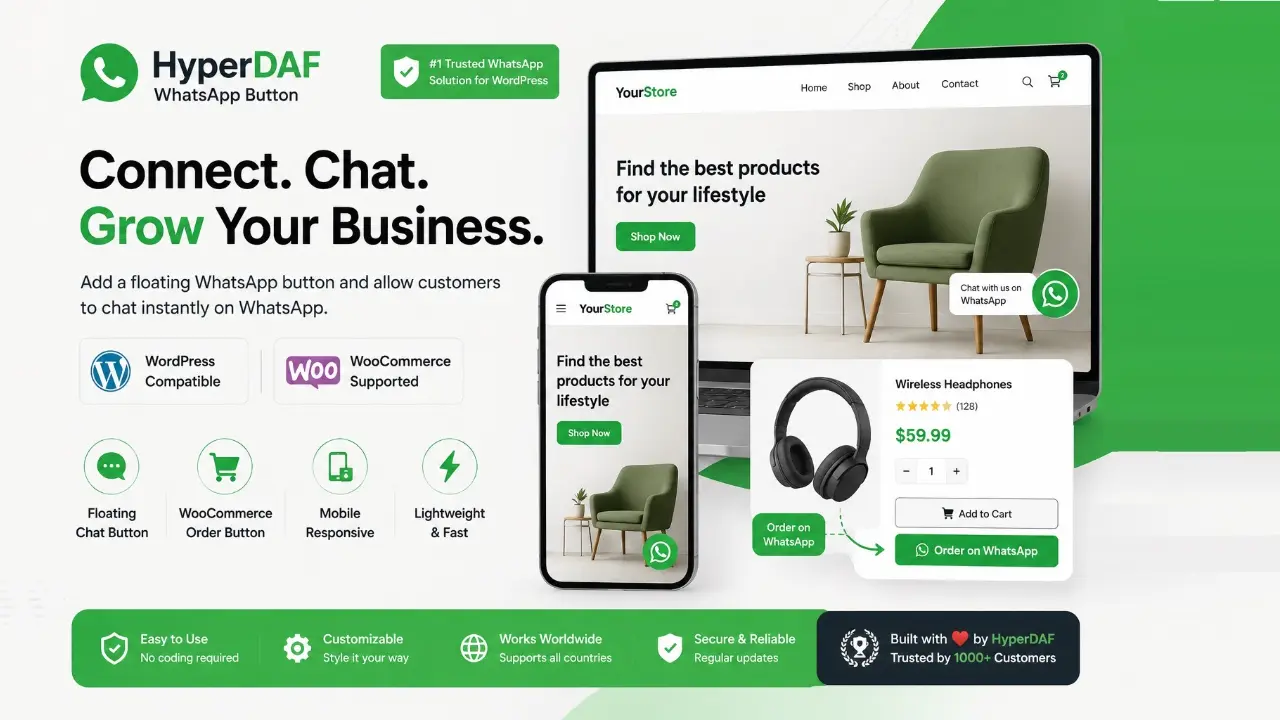
HyperDAF WhatsApp Chat & Order Button for WordPress & WooCommerce
Make it easy for customers to contact you, ask questions, and send product order requests through WhatsApp.
HyperDAF WhatsApp Chat & Order Button is a lightweight WordPress plugin made for business websites, WooCommerce stores, local shops, service providers, agencies, freelancers, and digital sellers.
Many visitors leave a website because they cannot contact the business quickly. Some customers do not want to fill a form. Some do not want to wait for an email reply. They just want to ask a question and get a fast answer.
This plugin solves that problem.
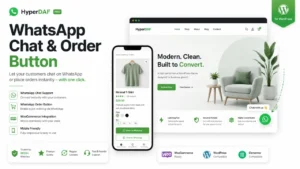
It adds a clean floating WhatsApp chat button to your WordPress website. It can also add a WooCommerce product order button, so customers can contact you about a specific product directly through WhatsApp.
Why This Plugin Matters
Customers buy faster when they can ask questions easily.
A visitor may want to know:
– Is this product available?
– Can I order this on WhatsApp?
– What is the delivery time?
– Can I get more product details?
– Can I speak with support before buying?
– Is this product right for me?
With HyperDAF WhatsApp Chat & Order Button, your visitor can click one button and start a WhatsApp conversation with you.
No long form.
No complicated process.
No waiting for email.
Just one simple click.

Main Features
Floating WhatsApp Chat Button
Add a beautiful floating WhatsApp button to your WordPress website. The button stays visible so visitors can contact you quickly from any page.
WooCommerce Product Order Button
Add a WhatsApp order button on WooCommerce product pages. Customers can ask about the product or send an order request directly through WhatsApp.
Custom WhatsApp Number
Add your country code and WhatsApp number from the plugin settings. The setup is simple and easy.
Custom Default Message
Set a default message that opens in WhatsApp when a visitor clicks the chat button.
Product Inquiry Message
For WooCommerce products, the button can help customers start a message related to the product they are viewing.
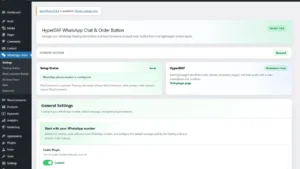
Clean Admin Settings
Manage the plugin from a clean WordPress admin settings page. No coding is required.
Responsive Design
The button works smoothly on desktop, laptop, tablet, and mobile devices.
Lightweight Code
The plugin is built with clean PHP, CSS, and JavaScript. It is focused, simple, and fast.

Perfect For
This plugin is useful for:
– WooCommerce stores
– WordPress business websites
– Digital product sellers
– Local shops
– Service providers
– Freelancers
– Agencies
– Restaurants
– Repair services
– Real estate websites
– Education websites
– Delivery businesses
– Support websites
– Small business websites

WooCommerce Order Button
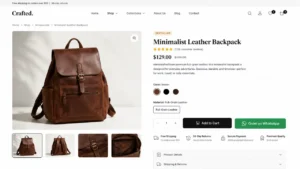
The WooCommerce order button helps customers contact you about a specific product.
Instead of searching for your phone number or writing a full message manually, the customer can click the WhatsApp order button and start a product-related conversation.
This is useful for:
– Product questions
– Stock availability
– Delivery questions
– Custom order requests
– Price confirmation
– Pre-sale support
– Manual order handling
Floating Chat Button
The floating button gives your visitors a quick contact option on your website.
It can help with:
– General support
– Business inquiries
– Service questions
– Lead generation
– Customer help
– Fast communication
– Trust building

Simple Setup
You can set up the plugin in a few steps:
1. Install the plugin.
2. Open the plugin settings.
3. Add your country code.
4. Add your WhatsApp number.
5. Set your default message.
6. Enable the floating chat button.
7. Enable the WooCommerce product order button if needed.
8. Save settings.
Your website is ready for WhatsApp contact and quick product inquiries.
Why Choose HyperDAF WhatsApp Chat & Order Button?
Because it is simple, focused, and made for real business use.
It does not try to become a heavy CRM or complex support system. It does one important job:
It helps customers contact you faster through WhatsApp.
That can help you answer questions, build trust, and reduce missed sales.

Compatibility
– WordPress 6.0+
– PHP 7.4+
– WooCommerce supported
– Works with modern WordPress themes
– Works on desktop, tablet, and mobile
– Compatible with Chrome, Firefox, Safari, Edge, Opera, Android Browser, and iOS Safari
What You Get
– WordPress plugin ZIP file
– Floating WhatsApp chat button
– WooCommerce product order button
– Clean admin settings
– Responsive frontend design
– Lightweight PHP, CSS, and JavaScript
– Product activation support
– Secure update support
– Basic documentation

Internal Link
Explore more premium WordPress products on HyperDAF Marketplace:
External Link
Follow HyperDAF on Facebook for updates, product news, and support announcements:
https://web.facebook.com/HyperDAF
Verified User Feedback
Read what our community thinks about this product.
No reviews yet. Be the first to share your experience!
Pre-Sale Discussion
Have questions? Connect with the developer before you buy.
No public questions yet.
Update History
Track improvements and bug fixes for this asset.
Version 1.0.0
- Initial release.
- Added floating WhatsApp chat button for WordPress websites.
- Added WooCommerce product order button.
- Added country code and WhatsApp number settings.
- Added custom default WhatsApp message support.
- Added clean admin settings page.
- Added responsive frontend design for desktop, tablet, and mobile.
- Added lightweight PHP, CSS, and JavaScript structure.
- Added product activation support.
- Added secure update support through HyperDAF Marketplace.
Support Center
Technical help and frequently asked questions.
Q: Does this plugin work without WooCommerce?
A: Yes. The floating WhatsApp chat button works on normal WordPress websites. WooCommerce is only required for the product order button.
Q: Does it work on mobile?
A: Yes. The plugin is fully responsive and works on desktop, tablet, and mobile devices.
Q: Can I use my own WhatsApp number?
A: Yes. You can add your own country code and WhatsApp number from the plugin settings.
Q: Can customers order products through WhatsApp?
A: Yes. On WooCommerce product pages, customers can click the WhatsApp order button and send a product inquiry or order request.
Q: Is coding required?
A: No. You can set up the plugin from the WordPress admin dashboard.
Q: Does this plugin replace WooCommerce checkout?
A: No. It adds a WhatsApp order/contact option. Your normal WooCommerce checkout can still work.
Q: Is the plugin lightweight?
A: Yes. It is built with clean PHP, CSS, and JavaScript, without unnecessary heavy features.
Q: How many websites can I use this license on?
A: The regular license is valid for 1 WordPress website.
Q: Will I get updates?
A: Yes. A valid product key gives access to official updates for 1 year.
Q: Do I get support?
A: Yes. The regular license includes 6 months of basic support.
Direct Support
Standard license includes 6 months of professional assistance.