








Table of contents10
The email arrived on a Tuesday morning: “Your subscription payment failed.” It was from a service I genuinely loved and wanted to keep. I clicked their link, updated my card in forty seconds, and moved on with my day. Two weeks later, a friend told me the same thing had happened to him with a different service — except their email basically accused him of not paying. He cancelled on the spot, out of pure annoyance.
I am Mehmet Yilmaz, and I work with online businesses on the unglamorous problem of payments that fail. That contrast — my forty-second fix versus my friend’s angry cancellation — taught me everything about this topic. A failed payment is not a lost customer. It is a customer with a temporary problem. How you handle the next 48 hours decides whether you keep them or lose them.
If you sell subscriptions, memberships, or take repeat payments of any kind, failed payments are silently eating your revenue. Industry data suggests subscription businesses lose around 9 percent of their monthly revenue to failed payments — and most of it is recoverable. In this guide, I will show you exactly how to handle failed payments: which ones to retry automatically, what to say in your emails, when to escalate, and how to win back the customers who slip through.
Whether you run a membership site, a subscription box, or any recurring billing, this is the recovery system I wish every business had running.
Here is what this guide covers:
- Why Good Customers Have Failed Payments (It Is Rarely About Money)
- Step 1: Sort Every Failure Into Two Buckets
- Step 2: Retry Smart — Timing Is Everything
- Step 3: Send the Dunning Email Sequence That Recovers Sales
- Step 4: Make Updating Payment Details Ridiculously Easy
- Step 5: Stop Failures Before They Happen
- Step 6: Win Back the Ones You Lost
- Step 7: Measure Your Recovery Like Revenue Depends on It
- Frequently Asked Questions
- Final Thoughts
Ready? Let’s get started.
Why Good Customers Have Failed Payments (It Is Rarely About Money)
The first mindset shift you need: a failed payment is almost never a customer who decided to leave. Cards expire. Banks flag legitimate charges as suspicious. Customers hit temporary spending limits. A network hiccup interrupts the charge. The customer’s bank replaces their card and the new number never reaches you. None of these mean “I don’t want your product anymore.”
This distinction has a name in the industry: involuntary churn — customers you lose not because they chose to leave, but because a payment failed and nobody fixed it. It is the saddest kind of lost revenue, because these customers liked you enough to give you their card in the first place. Research from Baremetrics found that failed payments put roughly 9 percent of a subscription business’s monthly recurring revenue at risk. For a business doing $20,000 a month in subscriptions, that is $1,800 walking out the door every single month — most of it from customers who would have stayed if someone had just handled the failure properly.
Here is the good news that makes this guide worth your time: failed payments are the most recoverable revenue in your entire business. A good recovery system — smart retries plus well-written emails — recovers 40 to 70 percent of failed payments that would otherwise be lost. You do not need more traffic or better marketing to get this money. You just need to stop letting it slip through the cracks.
Bonus Tip: Pull your failed payment numbers today, before you change anything. Count how many charges failed last month and how many were recovered. That baseline turns everything in this guide from advice into measurable profit.
Step 1: Sort Every Failure Into Two Buckets
Not all payment failures are the same, and treating them the same is the most common mistake I see. Every failed payment falls into one of two buckets, and each bucket needs a completely different response.
Bucket one: soft declines. These are temporary problems. Insufficient funds (the customer gets paid on Friday). The bank’s fraud filter got nervous about an unusual charge. A network timeout interrupted the transaction. The card issuer’s system hiccupped. The key trait of a soft decline: retrying later will probably work, because nothing is fundamentally wrong with the payment method.
Bucket two: hard declines. These are permanent problems. The card expired. The card was reported lost or stolen. The account was closed. The card number is simply invalid. The key trait of a hard decline: retrying will NEVER work, because the payment method itself is dead. Every retry attempt is wasted effort that annoys the customer and can even get your account flagged for excessive retries.
Here is the rule I drill into every business I work with: soft declines get automatic retries on a schedule (Step 2). Hard declines skip retries entirely and go straight to “please update your payment method” (Step 4). Mixing these up is expensive — retrying a dead card five times does not recover revenue, it just trains the customer to ignore your emails.
Your payment processor tells you which bucket each failure belongs to via the decline code on every failed charge. If you have never looked at your decline codes, start there. Most processors document exactly which codes are soft and which are hard. One afternoon of mapping codes to buckets will transform your entire recovery approach.
Step 2: Retry Smart — Timing Is Everything
For soft declines, automatic retries are your first and best recovery tool — but only if the timing is smart. The amateur move is retrying every 24 hours like clockwork. The professional move is staggering retries to match real human pay cycles.
Here is the retry schedule I recommend, and the reasoning behind each attempt. Retry one happens a few hours after the initial failure — this catches transient problems like network hiccups and overeager fraud filters, which often clear on their own within hours. Retry two happens on day three — this catches the “insufficient funds” customer who got paid or moved money around. Retry three happens on day seven — a full week covers most weekly pay cycles. Retry four happens on day fourteen — this catches monthly pay cycles and customers who needed time to sort things out.
Notice what we are NOT doing: hammering the card daily. Aggressive retrying does three bad things. It annoys customers who see repeated charge attempts on their statements. It can trigger the bank’s fraud systems, turning a soft decline into a blocked card. And some processors penalize accounts with excessive retry rates. Four well-timed retries over two weeks will recover more revenue than fourteen daily attempts — I have seen this pattern hold across multiple businesses.
Note: Many modern payment processors offer “smart retries” that use machine learning to pick optimal retry times based on millions of transactions. If your processor offers this, turn it on — it beats fixed schedules. But understand the principle behind it so you can sanity-check the results.
One more critical rule: stop retrying a card the moment you get a hard decline code. If retry two comes back “card expired,” cancel the remaining retries immediately and switch to the update-your-card flow. Continuing to retry a dead card is the definition of insanity — doing the same thing and expecting different results.
Step 3: Send the Dunning Email Sequence That Recovers Sales
“Dunning” is the industry’s ugly word for a beautiful process: systematically following up on failed payments with well-timed, well-written emails until the customer fixes the problem. Done right, dunning emails feel like helpful customer service. Done wrong, they feel like a debt collector. The difference is entirely in the tone and timing.
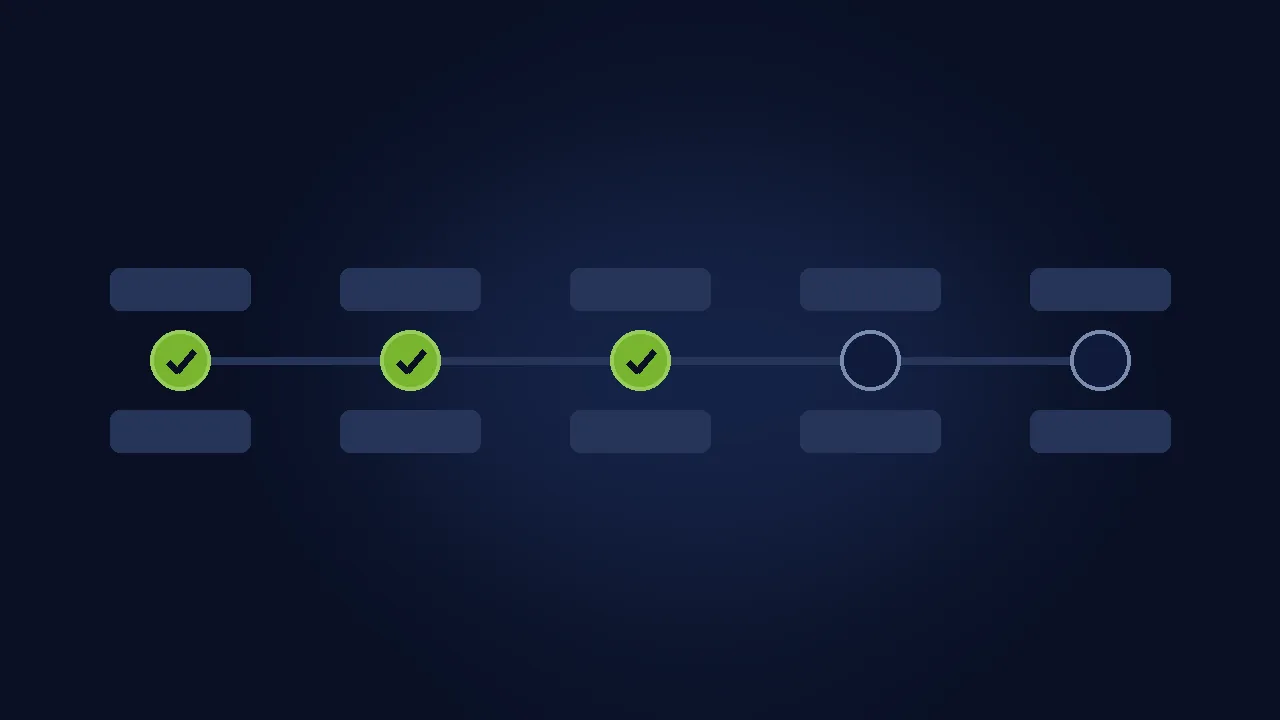
Here is the sequence I use, refined over years of testing. Email one goes out within hours of the first failure — the data is clear that speed matters enormously here, with same-day emails getting dramatically higher open rates than emails sent weeks later. The tone is light and blame-free: “We had a small hiccup processing your payment — it takes 30 seconds to sort out.” Include a direct link to update billing details. Never use the words “failed,” “delinquent,” or “overdue” in this first email. The customer probably does not even know there is a problem yet.
Email two goes out around day three, after your second retry attempt. Slightly more direct: mention that their service may be interrupted if the payment is not updated, but keep the tone warm. You are helping them avoid losing something they value, not threatening them.
Email three goes out around day seven and should feel like it came from a real person, not a system. “Hi [Name], I noticed we still have not been able to process your payment, and I would hate for you to lose access.” Include the one-click update link again. If you have support chat or a phone number, mention it here — high-touch works at this stage.
Email four, around day fourteen, is the final notice: access will be paused in 48 hours if payment is not updated. Be direct but respectful. Four to five emails over two weeks is the sweet spot — more than that erodes trust and generates spam complaints.
Bonus Tip: Every dunning email must have ONE clear call to action: the update-payment link. Not your homepage, not your pricing page, not three different links. One button, one job. Every extra link is an exit ramp from the recovery.
For the customers who abandoned a one-time checkout rather than a subscription, the same email principles apply in a different shape — our guide on recovering abandoned carts without being spammy covers that sequence.
Step 4: Make Updating Payment Details Ridiculously Easy
Here is a painful truth: most dunning sequences fail at the last step. The emails are good, the timing is good, the customer CLICKS the link — and then hits a login wall, a confusing account page, or a form that does not work on their phone. The customer was ready to pay you, and your own process stopped them.
The fix is what I call the “magic link” standard: the link in your dunning email should take the customer DIRECTLY to the card update form — no login required, no navigation, no searching. One click from the email, card details entered, done. Every additional step between the email click and the updated card loses a percentage of customers. I have seen businesses double their dunning recovery simply by replacing a “log in to your account” link with a direct secure update link.
The update form itself must be flawless. It should work perfectly on mobile — many customers will click your email on their phone. It should accept the card, validate it instantly with clear error messages, and confirm success immediately with a message like “Your payment method has been updated — your subscription is active.” The customer should never wonder whether it worked.
Also, pre-fill everything you already know. If you have the customer’s name and email, do not ask for them again. The only thing you need is the new card details. And after a successful update, retry the outstanding charge immediately — do not make the customer wait for the next scheduled retry. Strike while the intent is hot.
Test this flow yourself right now, as if you were a customer with an expired card. Click your own dunning link on your phone. Count the steps. If it takes more than a minute from email to updated card, you have work to do.
Step 5: Stop Failures Before They Happen
The cheapest failed payment is the one that never happens. A surprising number of failures are completely predictable — and preventable — if you act before the charge date.
The biggest preventable cause is expired cards. Your processor knows when every customer’s card expires. Send a friendly reminder 30 days before expiry — “Your card ending in 4242 expires next month; update it now to avoid any interruption” — and again 7 days before. These pre-emptive emails have excellent response rates because there is no failure, no embarrassment, no urgency — just helpful housekeeping. Businesses that do this consistently see their failure rates drop noticeably.
The second preventable cause is customers who do not recognize the charge. When the bank statement shows a cryptic descriptor like “XYZ*TECH LLC” instead of your business name, customers dispute charges they actually authorized — and some banks soft-decline unfamiliar descriptors. Check what your statement descriptor says and make it recognizable: your actual business name, not a holding company or abbreviation.
Third, for larger recurring amounts, consider sending a heads-up a few days before the charge: “Your annual renewal of $199 processes on Friday.” This prevents the “insufficient funds” surprise and the “what is this charge?!” panic equally. Customers who expect a charge do not dispute it.
Note: All of these pre-emptive emails must include an easy way to update payment details or manage the subscription. A reminder without an action link is just anxiety delivered by email.

Step 6: Win Back the Ones You Lost
Despite your best retries and emails, some customers will slip through. Their subscription gets paused or cancelled. Most businesses write these customers off — which is a mistake, because a customer who left involuntarily is very different from one who left deliberately. They did not reject your product. They just never fixed a payment problem. They are the warmest win-back prospects you have.
Wait two to four weeks after the loss, then start a short win-back sequence — separate from dunning, with a completely different tone. No mention of failed payments or billing problems. Instead: “We miss you” energy. Remind them what they are missing — new features, new content, whatever has improved since they left. Make returning frictionless with a single link that reactivates their subscription.
One tactic that works remarkably well: acknowledge the awkwardness honestly. “Your subscription ended because of a payment issue — these things happen. If you would like to come back, it takes one click.” Customers appreciate honesty far more than pretending the failure never happened. I have seen this single honest sentence outperform discount offers in win-back emails.
Do NOT delete cancelled accounts or their data (within your privacy policy’s limits). The easier it is for a lapsed customer to return — same account, same settings, same history — the more likely they are to do it. Every bit of friction in reactivation is a reason to stay gone. And never send win-back emails to customers who explicitly cancelled on purpose — that is a different situation, and contacting them about billing they deliberately stopped will only damage your reputation.
Step 7: Measure Your Recovery Like Revenue Depends on It
Because it does. If you implement everything in this guide and never measure it, you will never know what is working, what is broken, or how much money you are actually saving. Recovery deserves the same analytical attention as marketing.
Here are the metrics I track for every business. Recovery rate: what percentage of failed payments did you recover? Divide recovered revenue by total failed revenue. A rate of 50 to 60 percent is decent, 60 to 70 is strong, and above 70 is excellent. Most businesses without a real system sit around 40 to 50 percent — which means there is enormous headroom.
Retry success rate: what percentage of your automatic retries succeed? If it is very low, your timing is wrong or you are retrying hard declines. Email performance: open rates and click rates on each dunning email. The first email should perform best by far — if email three outperforms email one, something is wrong with your first email. Time to recovery: how many days, on average, between failure and recovery? Faster is better — every day of delay is a day the customer might mentally move on.
Review these numbers monthly. When I started doing this for clients, the reviews always surfaced something surprising — a broken update link that had been silently killing recoveries for weeks, a dunning email landing in spam, a retry schedule that stopped too early. Measurement does not just prove the system works. It IS the system working.
If failed payments often trace back to checkout problems rather than card problems, read our guide on why customers can’t check out to diagnose the difference.
Frequently Asked Questions
How many times should I retry a failed payment before giving up? Four retries over two weeks (roughly day 0, day 3, day 7, day 14) is the proven pattern for soft declines. More frequent retrying annoys customers and can trigger bank fraud filters. And the moment you get a hard decline code like “expired card,” stop retrying immediately — no schedule will fix a dead card.
Should I tell the customer why their payment failed? Yes, when you know the reason and it helps them act. “Your card expired” is useful — the customer knows exactly what to do. “Insufficient funds” is useful too. But never expose raw bank decline codes or overly technical reasons. Translate the failure into plain language plus one clear action: update your card.
Will dunning emails annoy my customers and cause cancellations? Not if the tone is right. Customers get annoyed by accusatory, frequent, or confusing payment emails — not by a few friendly, clear reminders that help them keep a service they value. The data consistently shows well-run dunning reduces cancellations rather than causing them. Four to five emails over two weeks is the safe zone.
What is the difference between a soft decline and a hard decline? A soft decline is temporary — insufficient funds, a bank fraud filter, a network timeout. Retrying later will probably succeed. A hard decline is permanent — expired card, stolen card, closed account. Retrying will never succeed. Your processor’s decline codes tell you which is which; map them once and automate accordingly.
My payment processor already retries failed payments. Do I still need dunning emails? Yes — retries and emails solve different halves of the problem. Automatic retries recover the failures that fix themselves (temporary issues). Dunning emails recover the failures that need the customer to act (expired cards, new card numbers). Processors handle the first half; only you can handle the second. You need both.
Final Thoughts
A failed payment feels like bad news, but I want you to reframe it completely. Every failed payment is a customer raising their hand and saying “I have a problem — help me stay.” Most businesses ignore that hand. The businesses that reach back — with smart retries, kind emails, and a one-click fix — keep revenue that everyone else writes off.
Look at what we built in this guide: sort failures into soft and hard, retry the soft ones on a human schedule, email with empathy instead of accusations, make updating a card effortless, prevent the preventable failures, win back the ones who slipped away, and measure everything. None of this requires a big team or expensive tools. It requires caring about the unglamorous middle of your business — the part between “customer loves us” and “customer pays us.”
Start this week with the two highest-impact moves: map your decline codes into soft and hard buckets, and send card-expiry reminders 30 days out. Those two changes alone will move your numbers. Then build the email sequence. Your future revenue reports will show you exactly what this was worth.
Have you ever lost a subscription you wanted to keep, just because of a payment hiccup? Tell me in the comments — I am collecting these stories to make dunning emails better for everyone.