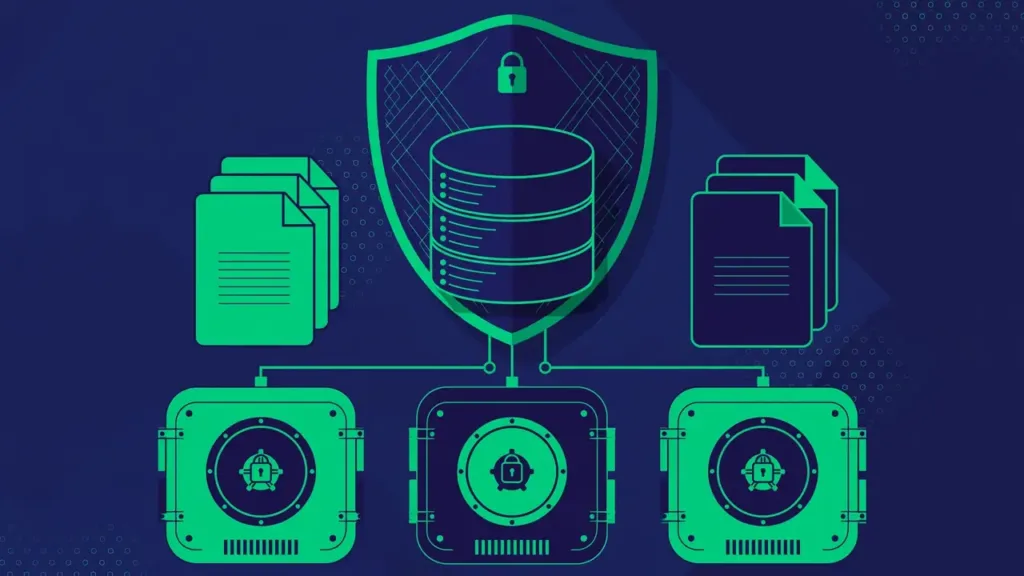

Ask a room of WordPress site owners when they last tested a backup and you will hear silence. Almost everyone has a backup routine. Almost no one has ever restored from it. That gap is where disasters live: the archive that is corrupt, the database export that stopped halfway, the restore procedure that nobody remembers under pressure.
Testing a backup does not mean gambling with your live site. It means proving, in a safe sandbox, that your backups actually work before the day you desperately need them to. This guide shows you how to run restore drills: controlled, repeatable tests that turn your backup routine from a hope into a verified fact.
A Backup You Have Never Restored Is Just a Hope
Backups fail in quiet ways. A backup job can report success while writing a zero-byte file. An archive can corrupt during transfer to cloud storage. A database export can silently skip tables when it hits a timeout. None of these announce themselves. The backup dashboard stays green while the safety net rots.
There is also the human side. Restoring a WordPress site involves a sequence: files, database, configuration, verification. If the first time you perform that sequence is during a real outage, you will be slow, stressed, and prone to mistakes like restoring the database over the wrong site or overwriting newer uploads with older ones. A drill replaces panic with muscle memory.
What “Testing a Backup” Actually Means
A proper test answers three questions:
- Is the backup complete? Does it contain the full database and all files, including uploads and configuration?
- Is the backup restorable? Can you actually rebuild a working site from it, on real infrastructure?
- Is the backup current enough? Does the restore point fall within the data-loss window you can tolerate?
Notice what is not on the list: opening the archive and glancing at the file list. That checks existence, not restorability. A real test ends with a working WordPress site built from the backup, which you then verify by clicking through it.
The Staging Restore Drill (Step by Step)

The safest way to test is a staging restore: rebuild the site from backup in an isolated environment that cannot touch production. Many hosts offer one-click staging; otherwise a subdomain or a local environment works.
- Pick a backup set, ideally not the newest one. Choose one from two to four weeks ago to prove your retention window is real.
- Prepare the staging target: a fresh database and an empty directory or a wiped staging install. Never restore into a directory containing a live site.
- Restore the files from the backup archive into the staging directory.
- Restore the database into the fresh staging database, then update the site URL references to the staging address using a proper search-and-replace routine that handles serialized data.
- Adjust configuration: point the staging copy at its own database credentials and disable anything that could reach production, such as email sending, payment gateways in live mode, and external webhooks.
- Verify thoroughly: log into the admin, browse key pages, submit a form, check media library thumbnails, and confirm the content matches the backup date.
- Destroy or isolate the staging copy when done, especially if it contains customer data.
Time the whole process. That duration is your realistic recovery time, and it is almost always longer than people guess. Knowing it in advance lets you set honest expectations with clients, customers, or your team.
Testing Database-Only and Files-Only Restores
Full restores are the gold standard, but partial restores deserve their own drills because they are the ones you will actually perform most often. The typical real-world restores are small: a deleted page, a broken update, a hacked theme file.
Database-only restore drill
Practice restoring a single table or the full database into staging while leaving files untouched. This is the drill for “an update corrupted my content” scenarios. Pay attention to how your backup format handles this: some all-in-one archives make single-table extraction awkward, which is worth discovering now rather than later.
Files-only restore drill
Practice restoring the uploads directory or a theme folder without touching the database. This covers “I deleted the wrong images” and “a plugin update broke the layout” scenarios. Confirm that file permissions and ownership come back correctly, since wrong permissions are a classic post-restore gotcha.
How Often Should You Test?
Match testing frequency to how much the site matters:
- Brochure and blog sites: a full restore drill twice a year, plus a quick archive integrity check quarterly.
- Business sites with leads and forms: a full drill quarterly.
- Stores, memberships, and communities: a full drill quarterly at minimum, with partial-restore practice monthly, because these sites change fastest and lose the most from downtime.
Also run a drill after any infrastructure change: a host migration, a PHP version upgrade, a change of backup storage, or a change of backup tooling. The drill validates the new setup, not just the old habit.
The cheapest time to discover a broken backup is during a scheduled drill on a Tuesday afternoon. The most expensive time is during a real outage at 2 a.m.
What to Do When a Restore Fails
A failed drill is not a disaster. It is the drill working exactly as intended: finding the problem while nothing is on fire. Treat it as a bug report against your backup system.
Diagnose methodically. Check whether the failure is in the backup itself (corrupt or incomplete archive), the restore procedure (wrong order, missed configuration step), or the environment (PHP version mismatch, missing extensions, different database version). Fix the root cause, then re-run the drill from scratch to confirm the fix.
Common culprits include archives that exceed extraction time limits on shared hosting, database imports that fail on large tables, and hard-coded URLs or paths that do not survive a move. Each one you fix in a drill is one you will not meet during an outage.
Keep a Recovery Log
After every drill, write down what happened while it is fresh:
- Date and backup set tested, so you can prove coverage over time.
- Restore duration, timed end to end.
- Issues found and fixed, with the exact commands or steps used.
- Changes to the recovery plan, because drills always reveal that the documentation is slightly out of date.
This log becomes two valuable things: evidence for clients or stakeholders that backups are genuinely maintained, and a runbook that makes the next restore faster. Over a year of drills, you will watch your recovery time shrink and your confidence grow, which is the entire point.
Build a Year of Drills in One Sitting
The reason testing gets skipped is not laziness; it is the absence of a calendar entry. Fix it once: sit down for an hour and schedule the entire year’s drills. A workable annual rhythm looks like this:
- Quarter 1: full staging restore drill from a month-old backup set, timed end to end.
- Quarter 2: partial drills only, database-only and files-only restores, plus an archive integrity spot-check.
- Quarter 3: full drill again, this time with a different team member leading, so the knowledge is not locked to one person.
- Quarter 4: full drill plus a review of the recovery plan document against the year’s infrastructure changes.
Assign an owner to each drill and put the recovery log template where the owner will find it. Tie drills to existing rhythms, the same week as quarterly plugin audits or performance reviews, so they inherit momentum instead of competing for attention. After the first year, this stops feeling like a project and starts feeling like maintenance, which is exactly what it is: the maintenance of your ability to recover.
One more practice worth adopting: after each drill, update a single recovery time estimate somewhere the whole team can see it. Watching that number shrink quarter after quarter is the clearest possible evidence that the system works, and it turns an abstract routine into a visible, shared achievement.
Start this week: pick a backup set, spin up a staging target, and run the drill. An hour of calm practice now is worth a week of panic later.
Backups you never test are a story you tell yourself. Restore drills turn that story into verified capability: complete archives, a practiced procedure, a known recovery time, and documentation that matches reality. Schedule your first drill this week. Future you, mid-outage, will be grateful.