








Choosing a WordPress theme used to be simple. You picked a design you liked, installed it, and customized colors and fonts through the Customizer. That world still exists, but since WordPress 5.9 introduced Full Site Editing, theme buyers now face a genuine fork in the road: block themes or classic themes?
This is not a minor technical detail. The choice shapes how you build every page, how much code knowledge you need, how fast your site loads, and how easily you can redesign later. Pick wrong and you may find yourself rebuilding the site from scratch a year later.
This guide compares block themes and classic themes across every dimension that matters in 2026: editing experience, design flexibility, performance, developer control, plugin compatibility, and long-term future. By the end, you will know exactly which type fits your project.
What Are Block Themes?
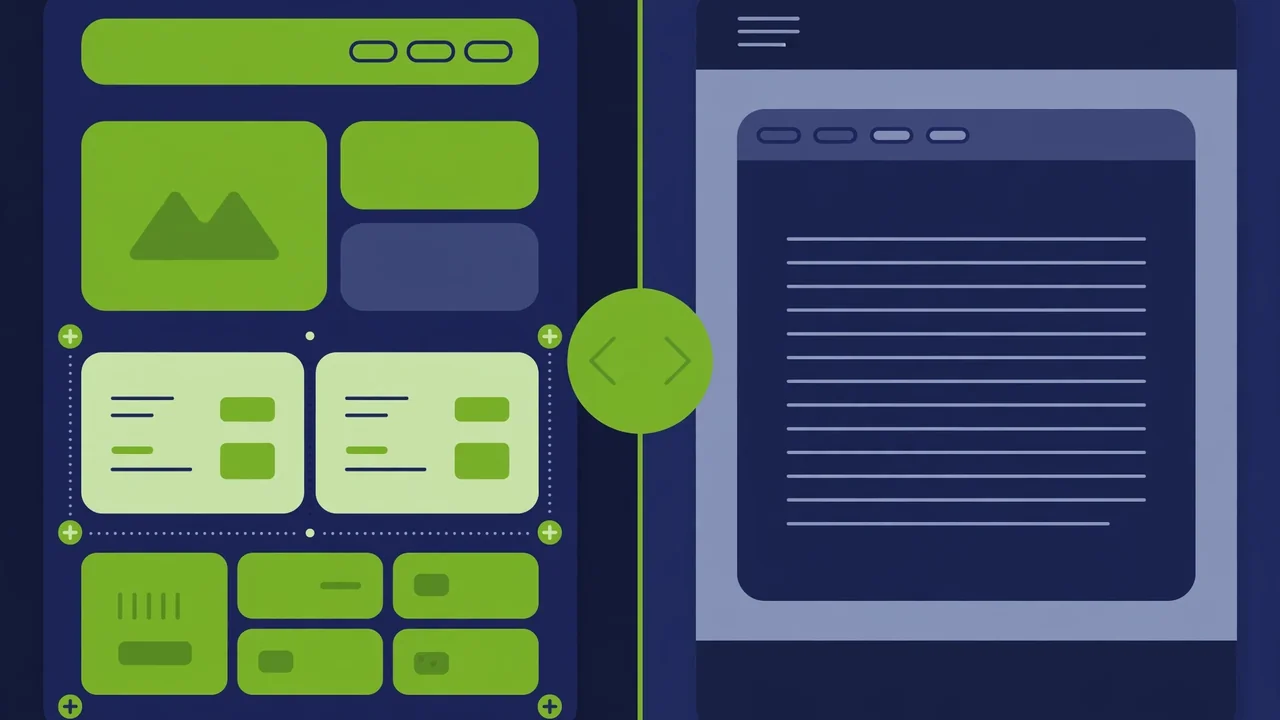
Block themes are the newer theme architecture, introduced with WordPress 5.9 in early 2022 and matured significantly through every release since. Instead of PHP template files, block themes use HTML-based block templates. Instead of the Customizer, they use the Site Editor. Instead of theme options panels, they use a single configuration file called theme.json.
How block themes work
A block theme is built from blocks — the same blocks you use when writing a post. Your header is a group of blocks. Your footer is a group of blocks. Your single post template is a query block, a post title block, and a post content block arranged in the Site Editor. Everything is visual.
The theme.json file controls the design system: colors, typography, spacing, layout widths, and which customization options appear in the editor. When done well, it creates a coherent design language across the entire site without writing CSS.
The Full Site Editing experience
With a block theme, you edit your whole site in one place. Open Appearance, then Editor, and you can modify templates, template parts, patterns, and global styles. Want a different header on the blog archive? Duplicate the template, rearrange blocks, and save. No code required.
This is the single biggest advantage of block themes: the barrier between “content” and “design” disappears. Anyone who can write a post can redesign a template.
What Are Classic Themes?
Classic themes are the traditional WordPress theme architecture that has powered millions of sites since 2003. They use PHP template files (header.php, footer.php, single.php, archive.php, page.php), template tags, hooks, and the WordPress Customizer for live-previewed settings.
How classic themes work
A classic theme is code-first. The theme developer writes PHP templates that define exactly how each page type renders. Customization happens through the Customizer (colors, layouts, widget areas) or through theme-specific options panels. Advanced users add a child theme to override templates safely.
The Customizer shows a live preview as you change settings, which made it revolutionary when it launched. Millions of site owners learned WordPress through this workflow.
The mature ecosystem
Classic themes have a twenty-year head start. The ecosystem is enormous: thousands of themes, deep page builder integration, countless tutorials, and developers everywhere who know the architecture inside out. If you hire a WordPress developer, they know classic themes. If you search for a solution to a problem, the answer almost certainly assumes a classic theme.
Head-to-Head Comparison
Editing experience
Block themes win for visual editing. The Site Editor lets you change anything you see. Templates, headers, footers, archive layouts — all editable with clicks. For site owners who want control without code, this is transformative.
Classic themes win for familiarity and predictability. The Customizer is stable, well-documented, and behaves the same everywhere. You cannot accidentally break a template by dragging the wrong block, because templates are code, not content.
Verdict: Block themes for hands-on owners who want to design; classic themes for owners who want to set options and move on.
Design flexibility
Block themes offer unlimited layout freedom within the editor. Patterns (pre-designed block arrangements) let you build complex sections in seconds. Global Styles change fonts and colors site-wide instantly. The creative ceiling is very high.
Classic themes offer flexibility through theme options and page builders. A good classic theme paired with a page builder can build anything, but you are working within the theme’s option structure rather than free-form design.
Verdict: Block themes have the higher ceiling for custom design without code; classic themes are more structured and harder to make ugly by accident.
Performance
Block themes tend to be lighter out of the box. They load only the CSS and JavaScript needed for the blocks actually used on a page. There is no page builder overhead, no massive options framework, no jQuery dependency by default. A well-built block theme can produce remarkably fast pages.
Classic themes vary enormously. A lean classic theme is fast. A feature-heavy multipurpose classic theme with a bundled page builder can be slow, loading hundreds of kilobytes of CSS and JavaScript on every page. The architecture is not the problem — bloat is.
Verdict: Block themes have a performance edge on average, but a lean classic theme beats a bloated block theme every time. Theme quality matters more than theme type.
Developer control
Block themes shift control toward configuration. Developers define the design system in theme.json, create custom blocks, and build patterns. Deep PHP template logic is replaced by block markup. Developers who embrace this find it clean; developers who need fine-grained template control can find it limiting.
Classic themes give developers total control. Hooks, filters, template hierarchy, child themes — every part of the rendering pipeline is accessible PHP. For complex custom functionality, this control is unmatched.
Verdict: Classic themes for maximum developer control; block themes for a cleaner, more constrained development model.
Plugin and page builder compatibility
Block themes work with the block editor natively. Most modern plugins support them. However, page builders (the drag-and-drop kind) are designed around classic themes; using a page builder with a block theme is possible but defeats the purpose.
Classic themes work with everything. Every plugin, every page builder, every widget-based tool ever made assumes a classic theme. If your workflow depends on a specific page builder or a plugin with deep theme integration, classic is the safe choice.
Verdict: Classic themes for maximum compatibility; block themes if you are committed to the block editor workflow.
Learning curve
Block themes are easier for beginners to start and harder to master. Building a page is intuitive, but understanding templates, template parts, patterns, and theme.json takes time. The documentation is still catching up.
Classic themes are harder for beginners to start (PHP templates are intimidating) but the learning resources are endless. Twenty years of tutorials, courses, and forum answers cover every question you will ever have.
Verdict: Block themes for getting started fast; classic themes for finding answers to every question.
Which Should You Use in 2026? Practical Decision Guide
Choose a block theme if:
- You are building a new site from scratch. There is no legacy to protect, and you get the modern editing experience from day one.
- You want to edit designs yourself. If you dislike waiting for a developer to change the header, block themes give you the keys.
- Performance is a priority. A lean block theme with no page builder is one of the fastest ways to build a WordPress site.
- You like the block editor. If you already build posts with blocks and enjoy it, extending that to the whole site feels natural.
- You are building content-focused sites. Blogs, portfolios, business sites, and publications shine with block themes.
Choose a classic theme if:
- You depend on a page builder. If your team builds with a drag-and-drop builder, stay with classic themes that support it properly.
- You need a specific plugin integration. Some plugins (membership, LMS, complex e-commerce customizations) still integrate most deeply with classic themes.
- You are extending an existing site. Migrating a classic site to a block theme is a rebuild, not an upgrade. If the current site works, do not fix what is not broken.
- You need maximum developer customization. Complex custom post type displays, intricate template logic, and deep hook-based customization favor classic themes.
- You want the biggest support ecosystem. More tutorials, more developers, more ready-made solutions.
The hybrid reality
Many sites in 2026 use a pragmatic mix: a classic theme for the framework with heavy block usage inside content. The block editor works fine inside classic themes for posts and pages. You do not have to choose Full Site Editing to benefit from blocks. This hybrid approach is completely legitimate and very common.
How to Switch Safely (Either Direction)
Switching theme types is a significant project. Follow these steps to avoid disaster:
Step 1: Full backup first
Back up both files and database. Store the backup off-site, not on the same server. Verify the backup actually contains your content before proceeding.
Step 2: Build on staging
Never switch themes on a live site. Use a staging environment — most quality hosts provide one-click staging. Build the new theme there.
Step 3: Rebuild templates deliberately
Moving classic to block: You will recreate headers, footers, and archive templates as block templates. Export your Customizer settings as reference. Plan for menus and widgets to need manual rebuilding, since block themes use navigation blocks instead of menu locations.
Moving block to classic: You will lose Site Editor customizations. Document your global styles (colors, fonts, spacing) so you can recreate them in the classic theme’s options.
Step 4: Test everything
Check every template: homepage, single posts, pages, archives, search results, 404 page. Test on mobile. Test forms. Test checkout if you sell anything. Click every link in the navigation.
Step 5: Go live during low traffic
Deploy during your lowest-traffic hours. Clear all caches after switching. Monitor for 48 hours.
The Future: Where This Is Heading
WordPress development continues moving toward blocks. Each major release deepens block theme capabilities: better template management, more powerful patterns, improved global styles, real-time collaboration features. The direction is clear.
But classic themes are not going away. Too many sites run on them, too many businesses depend on them, and the architecture remains fully supported. WordPress has a strong backward-compatibility culture. A well-built classic theme today will work for years.
The smartest framing is not “which wins” but “which fits.” Block themes are the future-facing choice for new builds. Classic themes are the battle-tested choice for existing workflows. Both are legitimate in 2026.
Conclusion
For most new sites in 2026, a block theme is the better starting point: faster editing, cleaner performance, and alignment with where WordPress is heading. For existing sites with established workflows, page builder dependencies, or complex customizations, staying with a classic theme is the wiser move.
Whatever you choose, theme quality matters more than theme type. A well-coded theme from expert developers will outperform a sloppy theme of either architecture.
That is exactly why marketplaces matter. At HyperDAF, themes are built by world-class expert developers who understand both architectures deeply — clean code, real performance, and designs that do not fall apart when you customize them. When you are ready to build on a foundation you can trust, you know where to look.




1 comment