








Table of contents10
The first time I watched someone pick the wrong WordPress, it cost her $204 and three weekends. My cousin’s friend Sana wanted to start a small online bakery. She bought a year of WordPress.com Premium for $96, thinking a paid plan meant everything was unlocked. Two weeks later she needed a booking plugin and a real store. Both were blocked. To unlock plugins she had to jump to the Business plan at $300 a year — nearly triple — and lost two weekends moving her half-finished site.
I’m Priya Sharma, and I’ve built and rescued WordPress sites on both sides of this divide for years. If you’re choosing right now, the fear is real: pick wrong and you either overpay every year or end up rebuilding everything. In this guide I will show you the exact 3-year cost math for both sides, what freedom you actually get on each plan tier, who really owns your website, and my honest pick for six common situations. If this is your first site — or your second chance at one — this is the comparison I wish someone had written for you. Let’s settle it.

One thing before we start: I don’t sell hosting and I don’t work for Automattic. I use both platforms depending on the job. There is no paid angle in this guide — just honest math and the trade-offs nobody puts on a pricing page.
Here is what this guide covers:
- What the two “WordPresses” really are (so you never mix them up again)
- The 3-year cost math: real dollar numbers on both sides
- What your money actually buys on WordPress.com
- Freedom and limits: plugins, themes, code, and ads
- Who actually owns your website (the part nobody reads until it hurts)
- The time bill: the hours nobody quotes you
- Can you sell things and keep the money?
- My honest recommendation for 6 real situations
- Frequently Asked Questions
- Final Thoughts
Ready? Let’s find out which WordPress is actually yours.
What the Two “WordPresses” Really Are
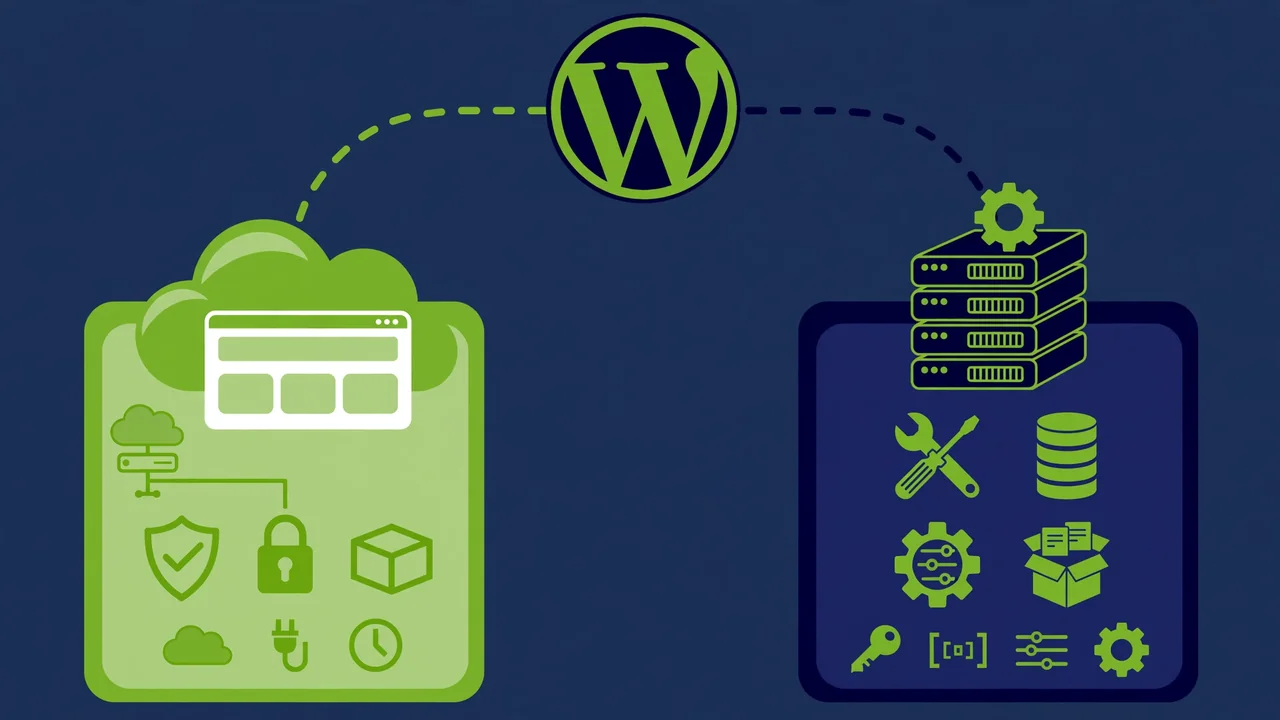
Here is the confusion that starts everything: “WordPress” is two completely different products with almost the same name. I have met smart business owners who used them for a year before realising they were not where they thought they were.
WordPress.com is a commercial hosted service run by Automattic. You sign up, pick a plan, and they handle the servers, security, backups, and performance. It is convenience first and control second — deeper plans unlock more control.
Self-hosted WordPress is the free, open-source software you can download from WordPress.org, the home of the open-source platform. You install it on web hosting that you rent yourself. There is no company managing it for you — you own the whole stack. Full control, full responsibility. You can handle updates, backups, and security yourself, or pay a managed host to do the heavy lifting for you.
Think renting a serviced flat versus owning a house. WordPress.com is the flat: everything works on move-in day, but you can’t knock down walls. Self-hosted is your house: rebuild the kitchen however you like, but the leaking roof is yours to fix.
The 3-Year Cost Math (Real Dollar Numbers)
This is the table I wish Sana had seen. Most comparisons quote the monthly price and stop there. The real story shows up when you add up three years — how long a serious site actually lives.
These figures are as of October 2026, billed yearly (monthly billing costs more). I’ve included the free plan so you can see what “free” costs you.
| Plan / Setup | Year 1 | Year 2 | Year 3 | 3-Year Total |
|---|---|---|---|---|
| WordPress.com Free | $0 | $0 | $0 | $0 |
| WordPress.com Personal | $48 | $48 | $48 | $144 |
| WordPress.com Premium | $96 | $96 | $96 | $288 |
| WordPress.com Business | $300 | $300 | $300 | $300 |
| WordPress.com Commerce | $540 | $540 | $540 | $1,620 |
| Self-hosted: budget setup | ~$74 | ~$74 | ~$74 | ~$222 |
| Self-hosted: quality setup | ~$314 | ~$314 | ~$314 | ~$942 |
The self-hosted rows need a word of explanation. Budget means basic shared hosting (roughly $3–12 a month) plus a domain (around $12–15 a year) — about $74 a year. Quality means managed WordPress hosting at roughly $25 a month plus the domain — about $314 a year, with the host handling updates, security, and backups.
The takeaway: three years of WordPress.com Premium ($288) versus a budget self-hosted site (~$222) with zero restrictions — and three years of Business ($900) costs almost the same as quality self-hosted hosting ($942), except self-hosted lets you install anything and keep every penny you earn.
Note: these prices change. WordPress.com adjusts its plans regularly, and hosts raise renewal prices. Treat this table as a snapshot of October 2026 and check the current pricing page on wordpress.com before you pay anything.
What Your Money Actually Buys on WordPress.com
I once helped a photographer friend move his portfolio to WordPress.com Premium in forty minutes. No hosting to configure, no SSL to install, no backup plugin to set up. That is the product you are actually buying: the absence of technical work.
On WordPress.com, Automattic runs the whole machine room: automatic updates, their security problem, backups without you asking. If a server falls over at 3am, an engineer fixes it while you sleep. For someone who wants to write, photograph, or sell — not become a part-time server administrator — that is genuinely valuable.

But you are buying convenience on a sliding scale. The Free plan gives you a WordPress.com subdomain, shows WordPress.com ads to your visitors, and locks out plugins, custom themes, and most earning options. Personal ($4 a month billed yearly) adds your own domain but keeps the locks on. Premium ($8 a month) adds fancier design tools. Only Business ($25 a month) unlocks the real WordPress experience: plugin installs, custom themes, advanced tools.
So the honest question isn’t “is WordPress.com good?” — it’s “which tier gives me what I need?” Sana paid for Premium assuming it meant full freedom. It didn’t. Before you buy, write down the three features you can’t live without, then check which tier unlocks them. That ten-minute check would have saved her $204.
Freedom and Limits: Plugins, Themes, Code, and Ads
A client once asked me why his WordPress.com site couldn’t run the membership plugin his competitor used. He had paid for two years assuming “WordPress is WordPress.” It isn’t — not on the lower tiers. On Free, Personal, and Premium you get a curated set of themes, no plugin installs, no custom code, and WordPress.com’s own ads on the free plan. Your site looks nice, but it runs inside a fenced garden.
Self-hosted WordPress has no fence: any of the tens of thousands of free plugins, any theme, the code itself if you know how. Booking system, membership wall, custom checkout — install it, nobody approves anything. Serious site owners end up wanting this freedom about a year in, exactly when switching hurts most.
That freedom comes with homework. Choosing plugins blindly is how sites get slow and hacked. Read our guide on the difference between free and premium plugins before installing anything, and check which licence fits your situation before you pay — the wrong licence is money thrown away. For themes, what actually matters when choosing one saves you from the pretty-but-bloated trap, and installing it the right way keeps things clean.
One more thing about themes and plugins, and this matters wherever you host: code quality matters more than feature lists. A bloated theme will slow your site no matter which WordPress you chose. At HyperDAF, our own development team builds every WordPress product from scratch — no outsourced code, no bloat. Our marketplace of our team’s themes, plugins and tools launches very soon at hyperdaf.com, and clean code is the whole reason it exists.
Bonus Tip: already on WordPress.com and hitting the plugin wall? List the exact plugins you need first. One or two might have built-in equivalents. A long list means the Business upgrade — or a move to self-hosted.
Who Actually Owns Your Website
Here is the section most comparisons skip, and it is the one I care about most. I once watched a forum thread where a site owner lost three years of content overnight because his account was suspended over a terms-of-service dispute. Extreme case? Yes. But it taught me a lesson I never forgot: on WordPress.com, you are a tenant. On self-hosted WordPress, you are the owner.
On WordPress.com, Automattic’s terms of service govern your account: their content rules apply, features are gated by your tier, and in rare cases an account can be suspended. Your site lives on their servers, inside their rules. For most people this never matters — but businesses with real revenue should never build on ground they don’t own.
On self-hosted WordPress, the site lives on hosting you pay for and control. No company sits between you and your site. Nobody can gate a feature, change the rules on your content, or suspend your account. You can move hosts whenever you like — our guide to migrating WordPress with zero downtime shows how — and your domain, files, and database are yours.

The honest counterweight: ownership means responsibility. Backups, updates, security — yours to handle, unless you pay a managed host. Ownership isn’t free; it’s paid in attention. But here’s how I frame it for clients: if your website is a hobby, tenancy is fine. If it’s your business, own the ground it stands on.
The Time Bill: The Hours Nobody Quotes You
Nobody puts hours on a pricing page, so let me. A self-hosted site on basic shared hosting costs a beginner roughly two to four hours a month: updates, a backup check, the occasional plugin conflict. Over three years that’s 70 to 140 hours. On managed WordPress hosting it drops near zero — but you pay the higher price from the cost table.
On WordPress.com, the time bill is near zero on every plan. That’s not marketing; it’s the product. You write, publish, close the laptop. For anyone whose hourly rate is high, those saved hours are worth far more than the plan price. I’ve told well-earning clients to stay on WordPress.com Business for exactly this reason.
Do the honest sums for your own life: hours times what your hour is worth. Enjoy tinkering and your time is cheap? Self-hosted wins. Time expensive or patience thin? The managed route isn’t laziness — it’s arithmetic. The most expensive hosting is the kind that eats weekends you’ll never get back.
Can You Sell Things and Keep the Money?
This is where the two WordPresses stop being cousins and become different species. On WordPress.com’s lower tiers, monetisation is restricted: limited ad options, no plugin-based stores, and payment features reserved for higher plans. Real selling starts at the Commerce plan — $45 a month billed yearly, $540 a year — which includes full store functionality. That is a serious price for a serious store, and for some sellers it is worth it.
On self-hosted WordPress, there are no restrictions at all. Install any store plugin, connect any payment gateway, sell courses, memberships, downloads, physical products — and keep every penny after the processor’s cut. No platform fee, no one telling you what you may sell. If you’re serious about earning, our guide to selling digital products with WordPress walks through the setup.
A friend selling online courses moved to self-hosted WordPress and told me the move paid for itself in eleven weeks — purely from the fees she stopped paying. Fees are invisible until you add them up. Run the fee math before you commit to any platform, not after.
My Honest Recommendation: Which One Is Actually Yours?
We have done the math, the freedom check, the ownership question, and the time bill. Now for the part you came for: my actual recommendation. I have put six common situations in a table, because general advice is where comparisons go to die.

| Your situation | My pick | Why |
|---|---|---|
| Personal blog, just writing | WordPress.com Free or Personal | Zero hassle; you only need words on a page |
| Portfolio or freelancer site | WordPress.com Premium | Looks professional, no maintenance |
| Small business site that must grow | Self-hosted | You’ll want plugins within a year — start free |
| Online store | Self-hosted (or Commerce if you hate tech) | No fees and no limits beat $540 a year |
| You earn well and hate technical work | WordPress.com Business | Your time is worth more than the savings |
| You want to learn WordPress properly | Self-hosted | You learn the real thing, not the fenced version |
The pattern: the more your site needs to grow, earn, or do unusual things, the more self-hosted wins. The more you value your time, the more WordPress.com wins. Sana needed bookings and a store on day one — she was a self-hosted customer who bought a WordPress.com plan.
No shame in starting on WordPress.com and moving later — thousands of successful sites began on the Free plan. The only real mistake is paying for a tier that doesn’t unlock what you need, or staying somewhere limiting because moving feels scary. It’s a weekend project with a good guide.
Frequently Asked Questions
Can I move my site from WordPress.com to self-hosted later? Yes — it’s a well-travelled road. WordPress.com’s export tool packages your content, and importing into self-hosted WordPress is straightforward. Higher plans export more smoothly; the Free plan is fiddlier. Budget a weekend and test everything before pointing your domain at the new home.
Is the WordPress.com Free plan enough for a serious blog? For practising, yes. For a serious blog, no. You get a WordPress.com subdomain, WordPress.com ads on your pages, 1 GB of storage, and no plugins or custom themes. A subdomain with someone else’s ads tells readers “hobby” in seconds. If you mean it, Personal is the minimum — and even that keeps the plugin locks on.
Why is self-hosted WordPress called “free” if I still have to pay? The software costs nothing — download it from WordPress.org and never pay a licence fee. You pay for what’s around it: the hosting server and the domain name. A free recipe still needs ingredients. The recipe is free; the kitchen isn’t.
Does WordPress.com take a cut of what I earn? On lower tiers it’s less about cuts and more about locked doors — you can’t run a proper store until the higher plans. Commerce is built for selling, with full store features in the price. On self-hosted WordPress there’s no platform cut at all: you pay only the payment processor’s standard fee. Do the fee math across three years before you choose.
Which one is better for SEO and ranking on Google? Neither ranks automatically better. Google ranks content quality, speed, and user experience — not your hosting choice. Self-hosted gives you more control over ranking factors like caching and SEO plugins. But a fast, well-written WordPress.com site will outrank a slow, thin self-hosted site every time. The platform is a tool; the content does the ranking.
Final Thoughts
Sana’s bakery is doing fine now — she moved to self-hosted WordPress and installed her booking plugin in an afternoon. Her only regret is the $204 she spent learning what this guide just taught you for free. Every week I meet someone standing where she stood: card in hand, about to pay for the wrong tier.
If you take one thing from this guide, let it be this: match the platform to the site you will have in two years, not the site you have today. Hobbies stay small and simple; businesses grow, sell, and need freedom. Choose for the future you are building, and you will only ever pay once. If you are buying a theme, first read how to buy a WordPress theme without getting burned. For the licence basics, read WordPress plugin licenses explained before you buy. The same choice shapes your theme, so weigh block themes vs classic themes. Before you move, compare manual backups vs backup plugins. If you are still stuck, find out where to get real WordPress help.
You’ve already done the hard part — you researched before paying, which puts you ahead of most people. So congratulations: whichever WordPress you pick, it’s an informed choice, not a gamble. And if you have your own comparison story — especially a painful one — leave a comment below. I read every one.
P.S. — if you want WordPress products built by a real expert team rather than assembled from other people’s code, keep an eye on hyperdaf.com.



2 comments