







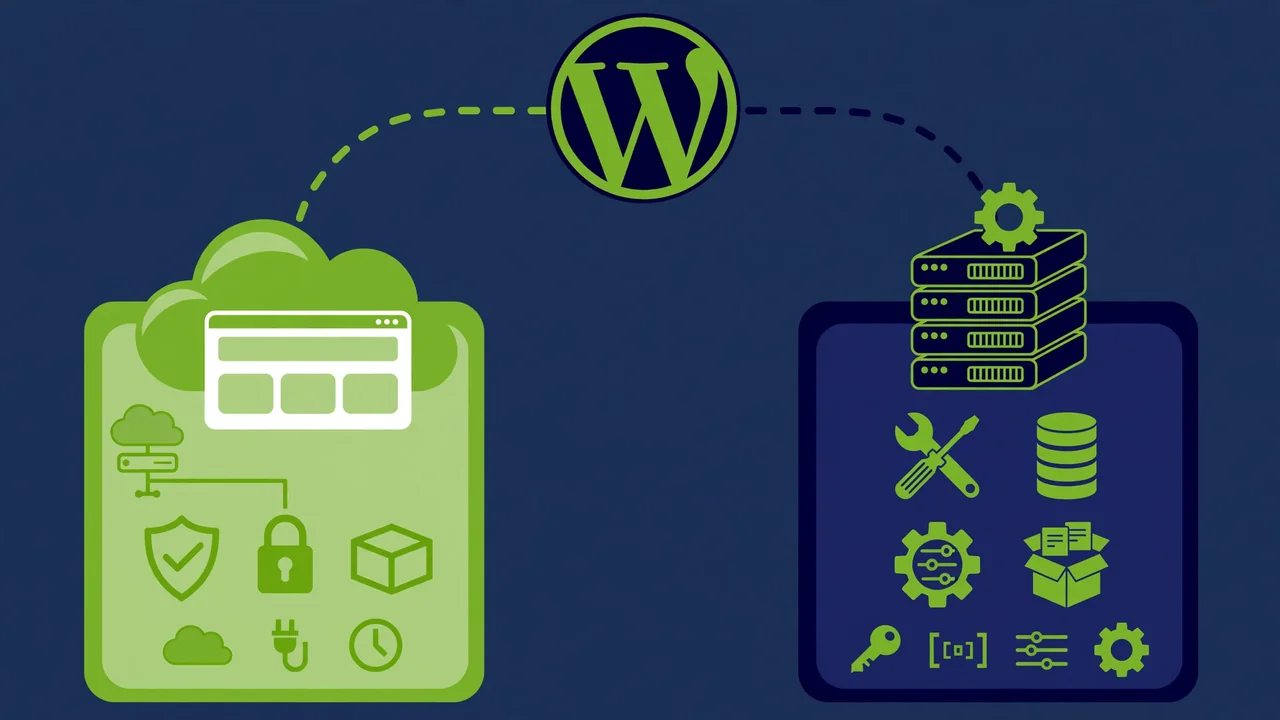
WordPress powers over 40% of the web, but “WordPress” actually means two different things. There is WordPress.com, the hosted service where you sign up and start publishing in minutes. And there is self-hosted WordPress (from WordPress.org), the free software you install on your own hosting account.
Beginners mix these up constantly, and the confusion costs real money. People sign up for WordPress.com expecting full WordPress freedom, then hit plan limits. Others go self-hosted expecting simplicity, then drown in hosting dashboards and plugin updates.
This is the honest 2026 breakdown: what each option actually gives you, what it costs over time, where the limits are, and which one fits your goals. No affiliate hype, no sponsored rankings — just the tradeoffs as they really are.
The Core Difference
WordPress.com: WordPress as a service
WordPress.com is a commercial hosted platform run by Automattic. You create an account, pick a plan, and your site runs on their infrastructure. They handle servers, security updates, backups, and performance. You focus on content and design.
It works like other website builders: convenience first, control second. The deeper your plan, the more control you unlock.
Self-hosted WordPress: WordPress as software
Self-hosted WordPress means downloading the free WordPress software from WordPress.org and installing it on hosting you rent from any provider. You own the entire stack: the hosting account, the domain, the database, every file.
With ownership comes responsibility. You handle updates, backups, security, and performance — or you choose a host and tools that handle them for you. In exchange, there are no platform limits on what you can install or build.
Cost Comparison: The Real Numbers
WordPress.com pricing reality
WordPress.com uses tiered plans. The free plan exists but comes with a WordPress.com subdomain, ads, and heavy limits. Paid personal plans remove ads and allow a custom domain. To install plugins and third-party themes — the thing most people mean by “WordPress freedom” — you need the higher-tier Creator or Entrepreneur plans, which cost significantly more per year.
Over three years, a WordPress.com site with plugin access typically costs several hundred dollars in plan fees alone. That is the price of convenience.
Self-hosted WordPress pricing reality
The software is free. Your costs are hosting and a domain. Shared hosting starts very cheap per year; quality managed WordPress hosting costs more but handles much of the technical work. A domain is roughly ten to fifteen dollars per year.
Over three years, a self-hosted site on decent shared hosting often costs less than one year of WordPress.com’s plugin-capable plan. Managed hosting narrows the gap but still usually comes out cheaper, and you keep full control.
The hidden cost: your time
Money is only half the equation. WordPress.com saves time: no hosting setup, no manual updates, no security hardening. For someone whose time is expensive or who simply does not want technical work, that saved time is worth the higher price.
Self-hosted WordPress costs time: initial setup, learning the dashboard, handling updates, troubleshooting the occasional issue. Managed hosting reduces this dramatically, but it never reaches zero.
Honest take: If you bill your time at any serious rate, WordPress.com’s premium can pay for itself. If you enjoy the technical side or run multiple sites, self-hosted wins on economics.
Freedom and Limitations
What you can and cannot do on WordPress.com
Lower-tier plans: You pick from a curated theme selection, cannot install plugins, cannot add custom code, and cannot run ads except through their program. Your site must fit inside their sandbox.
Higher-tier plans: Plugin installation unlocks, third-party themes become available, and much of the WordPress freedom appears. But some things remain restricted: server-level access is off-limits, certain plugins are disallowed for performance or security reasons, and you play by their infrastructure rules.
What you can do self-hosted
Everything:
- Install any of the tens of thousands of plugins.
- Use any theme.
- Edit code.
- Access the database.
- Choose your PHP version.
- Install server-level caching.
- Run a multisite network.
- Build a completely custom application on top of WordPress.
There is no approval process and no disallowed list. If the software can do it, you can do it.
Why the difference matters
Most beginners do not need full freedom on day one. But websites grow. The blog becomes a business. The business needs a membership system, then a course platform, then custom integrations. Each step that hits a platform limit becomes a migration project.
Starting self-hosted means never hitting that wall. Starting on WordPress.com means betting your future needs fit inside their plans.
Themes and Design Control
WordPress.com themes
The theme library is large and the designs are good. On higher plans you can install third-party themes and use extensive customization. The Site Editor works for block-based design. For most sites, the design options are genuinely sufficient.
The limitation is at the edges: deep custom theme development, highly custom templates, and themes requiring server-side features outside their allowed set.
Self-hosted themes
The entire theme universe is open: every free theme, every premium theme from every marketplace, and fully custom themes built by developers. You can modify anything, build a child theme, or code a theme from scratch.
This matters enormously if design differentiation is part of your strategy. When your site needs to look like nothing else, self-hosted is the only serious option.
Plugins: The Decisive Factor
Plugins are where the two paths diverge hardest.
On WordPress.com’s lower plans, you cannot install plugins at all. You get built-in features (Jetpack-powered stats, basic SEO, social sharing) and that is it. Need a specific form builder, an SEO toolkit with advanced controls, a membership plugin, or a specialized integration? Upgrade or go without.
On the higher plans, the plugin directory opens up and the experience approaches self-hosted. But the disallowed-plugin list and infrastructure constraints still apply.
Self-hosted WordPress gives you the full plugin ecosystem: over 59,000 free plugins plus every premium plugin ever made. If a tool exists for WordPress, it runs on self-hosted. This is the single strongest argument for self-hosting, and for most serious sites it is decisive.
Performance and Reliability
WordPress.com performance
Excellent by default. Their infrastructure is world-class: global CDN, tuned servers, automatic optimization. Your site loads fast without you doing anything. Uptime is superb. This is a genuine advantage — most self-hosted sites never reach this level of out-of-the-box performance.
Self-hosted performance
Entirely up to you and your host. On cheap shared hosting with a bloated theme, it can be slow. On quality managed hosting with a lean theme and proper caching, it can match or beat WordPress.com.
The honest truth: performance is a solved problem on both paths if you invest appropriately. WordPress.com solves it with money (your plan fee). Self-hosted solves it with choices (host, theme, caching).
SEO Capabilities
Both paths can rank well. Google does not penalize WordPress.com sites.
The practical difference is control. Self-hosted lets you implement any SEO strategy: advanced schema, custom sitemaps, server-level redirects, log file analysis, any SEO plugin with full settings access. WordPress.com’s higher plans cover the essentials well — clean URLs, sitemaps, basic meta controls — but advanced technical SEO eventually wants server access.
For most sites, either is fine. For SEO professionals and competitive niches, self-hosted control wins.
Monetization and Business Use
Earning on WordPress.com
Lower plans restrict monetization heavily. Higher plans allow ads, affiliate links, sponsored content, and e-commerce through WooCommerce (on the top tiers). It works, but you operate inside their commerce rules and fee structures.
Earning self-hosted
Total freedom. Any ad network, any affiliate program, any e-commerce setup, digital products, memberships, courses — with zero platform fees beyond your payment processor. You keep everything you earn.
For anyone building a real online business, this freedom compounds over time.
Who Should Choose Which?
Choose WordPress.com if:
- You want zero technical work. Publishing is the goal; servers are someone else’s problem.
- You are starting a personal blog or portfolio. The limits will not bother you.
- Your time is more valuable than the price difference. Convenience has real economic value.
- You want guaranteed performance and security without learning how they work.
- You are testing an idea. Start fast, validate, migrate later if it grows.
Choose self-hosted WordPress if:
- You need specific plugins. This alone decides it for most serious sites.
- You are building a business. Full monetization freedom and no platform risk.
- You want a custom design. Premium or custom themes need self-hosting.
- You run client sites or multiple sites. The economics strongly favor self-hosted at scale.
- You want maximum SEO control. Technical SEO needs server access eventually.
- You value ownership. Your site, your files, your database, your rules.
Migrating Between Them
Moving from WordPress.com to self-hosted
This is common and well-supported. Export your content from WordPress.com, set up self-hosted WordPress, import everything, point your domain. Media files, posts, pages, and comments transfer cleanly. Theme and plugin setups need rebuilding since the environments differ.
Plan for a weekend project, not an hour. But thousands of sites do it successfully every month.
Moving from self-hosted to WordPress.com
Less common but straightforward for simple sites. The import tools handle content. The challenge is replacing plugins and custom functionality with WordPress.com equivalents. Complex sites often cannot make this move without losing features.
The 2026 Landscape
A few current realities shape this decision. Managed WordPress hosting has matured enormously — the technical burden of self-hosting is lower than ever, with staging, automatic updates, and expert support standard at good hosts. The gap in convenience has narrowed.
Meanwhile, WordPress.com’s higher tiers have become genuinely capable, closing much of the freedom gap for typical sites. The free and cheap tiers remain limited, which is where most disappointment happens.
The honest summary: the middle ground has expanded. Both options are better than they were five years ago. The choice matters most at the extremes — maximum simplicity versus maximum control.
Practical Setup Steps: Going Self-Hosted
If you choose self-hosted, here is the sane path:
- Buy a domain from any reputable registrar. Keep domain and hosting separate for flexibility.
- Choose managed WordPress hosting. It costs more than bargain shared hosting and is worth every cent in saved headaches.
- Install WordPress through your host’s one-click installer.
- Install a lean, well-coded theme. Theme quality determines your site’s speed and stability more than anything else you choose.
- Add only essential plugins: security, backups, SEO, caching (if your host does not provide it), and whatever your site specifically needs.
- Set up automated off-site backups before you publish anything important.
- Enable SSL (your host provides this free) and force HTTPS.
That is a complete, professional foundation in an afternoon.
Conclusion
WordPress.com is the right choice when you want publishing without technical overhead and your needs fit inside its plans. Self-hosted WordPress is the right choice when you need freedom: any plugin, any theme, any monetization, full ownership.
For most people building something serious — a business, a publication, a store, a client site — self-hosted wins. The control compounds over time, the economics favor it at scale, and you never face a platform limit at the worst moment.
Whatever path you choose, build on quality. A fast, secure, well-designed site starts with a theme built by people who know what they are doing. At HyperDAF, our world-class expert developers craft WordPress themes with clean code and genuine performance — the kind of foundation that makes either path shine. When your site deserves the best starting point, that is where to find it.