
Table of contents16
ThemeForest is worth it for exactly one kind of buyer: someone building one website who has vetted the exact theme first. It is not worth it if you plan to build several sites, need support for years, or want the fastest possible site. The price on the listing is only part of the cost — one licence covers one site, support ends after six months, and the theme’s quality depends on its individual author, not on the marketplace. This guide works out the real cost with prices checked 18 November 2026, then compares the best ThemeForest alternatives by buyer type so you can pick the right one before you pay.
What you will learn
- What a ThemeForest theme really costs, including the fees and the support limit
- Where ThemeForest is strong and where it lets buyers down
- The best ThemeForest alternatives, with prices, licences and who each one fits
- How to vet any theme before you pay, with a checklist you can reuse
What ThemeForest is
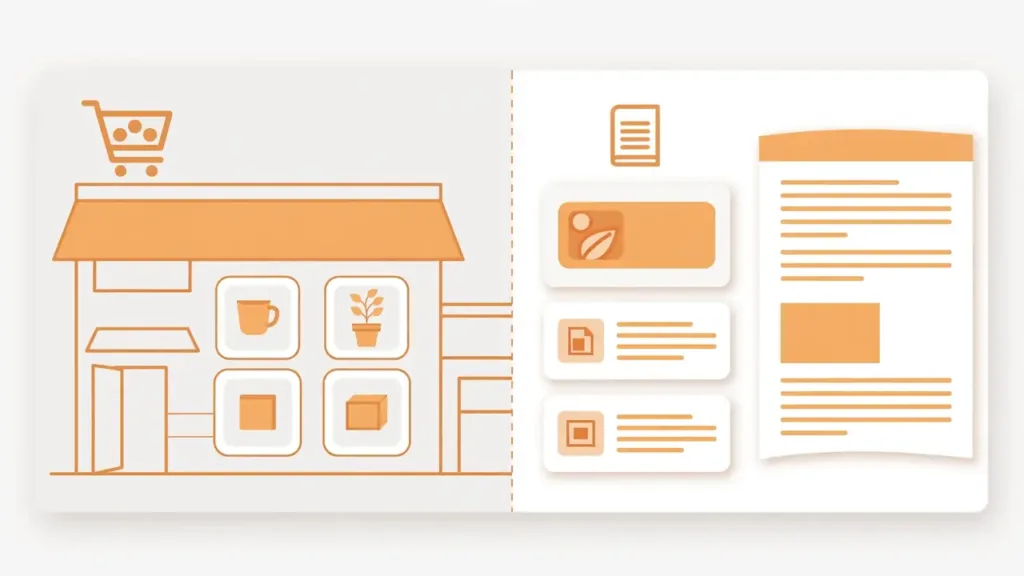
ThemeForest is the largest premium WordPress theme marketplace, owned by Envato. Independent developers — called authors — submit themes, Envato’s review team checks each one for security and basic code quality, and the theme is then listed for sale. Envato takes a commission on every sale. Envato itself was acquired by Shutterstock in 2024. That marketplace model is the whole story of this review: you are not buying from one company with one standard, you are buying from thousands of separate authors whose quality, update habits and support vary widely. The best-selling themes are real, well-maintained products. The risk is not that ThemeForest is a scam — it is not — the risk is paying for a theme that turns out slow, poorly supported, or abandoned after its author moves on.
What a ThemeForest theme really costs
Most WordPress themes on ThemeForest cost between $39 and $69 as a one-time payment. Two of the best sellers show what that looks like in practice. Avada, the best-selling WordPress theme on the marketplace for more than 13 years, costs $49 on 18 November 2026, is on version 7.17, carries a 4.78-star rating from more than 26,000 reviews, and is used by more than 1,000,000 people. Flatsome, the best-selling WooCommerce theme, costs $59, is on version 3.20.13 from 10 November 2026, and is compatible with WooCommerce 11.3. Both include free lifetime updates and six months of support from the author.
That headline price is not the full cost. Four things add up around it. First, Envato adds a small buyer fee at checkout, usually $2 to $3. Second, one Regular Licence covers exactly one website — three sites means three licences, so three copies of Flatsome cost $177 before fees. Third, support ends after six months; if you need the author’s help in month seven, you pay for extended support, which is sold as a discounted add-on. Fourth, updates are free for life, but support is not — a distinction worth understanding before you buy, because a theme that stops getting WordPress and PHP compatibility updates becomes a liability. Envato’s refund rules are also narrow: broadly, a refund applies only when the theme is broken or does not match its description, not because you changed your mind. So the real question is never the sticker price. It is the price per site, per year, for as long as you plan to run the site.
| Cost item | What you pay | What it covers |
|---|---|---|
| Theme (Avada, 18 Nov 2026) | $49 one-time | One site, free lifetime updates, 6 months support |
| Theme (Flatsome, 18 Nov 2026) | $59 one-time | One site, free lifetime updates, 6 months support |
| Buyer fee at checkout | Usually $2–$3 | Envato checkout fee, per purchase |
| Extended support | Paid add-on | Support beyond the included 6 months |
| Second and third sites | One more licence each | One Regular Licence covers one site only |
ThemeForest pros and cons
The honest scorecard starts with what the marketplace does better than anyone else. The choice is unmatched: no single theme shop lists as many designs, so a very specific niche — a dental clinic, a food truck, a wedding planner — usually has a ready-made theme with a demo that looks like the finished site. The one-time price is genuinely cheap for a single project, and the best sellers are proven products with years of updates behind them. Avada ships with more than 110 prebuilt websites and six bundled premium plugins; Flatsome ships its own page builder and a child theme. For a one-off site with a tight budget, that is hard to beat.
The cons are the other side of the same model. Quality is inconsistent because every theme has a different author, so two themes at the same price can be very different products. Many best sellers are feature-packed mega themes that load more code than a simple site needs, which is why speed reviews of marketplace themes are often poor. Support is the most complained-about part: it expires after six months, and the quality of the answer depends on the author. And the biggest long-term risk is abandonment. Many marketplace themes are built by one person or a tiny team, and when that author loses interest, gets a job, or moves on, updates stop. A theme with no updates is not just old — it is a security and compatibility risk every time WordPress or PHP moves forward. So ThemeForest is a good shop for a single, specific, short-lived project, and a weak foundation for a site you plan to run for years.
The best ThemeForest alternatives
The durable alternative to a marketplace is a dedicated theme shop: one team, one product line, and a subscription model that pays for ongoing maintenance. These are the alternatives that hold up in 2026, with prices checked 18 November 2026.
| Provider | Model | Entry price | Sites covered | Support included | Best for |
|---|---|---|---|---|---|
| Divi (Elegant Themes) | Subscription, theme + builder | $89 a year or $249 lifetime | Unlimited | 24/7 support, 30-day guarantee | Freelancers and agencies, many sites |
| Astra Pro | Yearly add-on, free base theme | $59 a year first year; $229 lifetime | 3 sites | Premium support | Speed-first sites, Elementor users |
| GeneratePress One | Yearly bundle | $99 a year (1 site); $149 (10); $199 (100); $556 lifetime (100) | 1–100 by plan | Priority email support, 30-day refund | Developers, lean block-editor sites |
| Blocksy Pro | Yearly add-on, free base theme | $69 a year (1 site); $99 (10); $149 (unlimited); lifetime from $199 | 1–unlimited by plan | Support, 14-day guarantee | Blogs and content sites |
| Kadence bundle | Yearly bundle only | $350 a year (1 site) | 1 site | Support | Block-editor sites that also need courses, events or donations |
| Envato Elements | Subscription, same company as ThemeForest | $16.50 a month billed annually ($198 a year) | Licence per project | Support | Volume buyers who also want stock, fonts and graphics |
| WordPress.org directory | Free | $0 | Unlimited (GPL) | Community only | Starting free, testing before paying |
Divi is the value pick for anyone building more than two sites. One membership covers unlimited personal and client sites, includes the Divi theme and builder plus Extra, Bloom and Monarch, and the $249 lifetime option ends renewals for good — two years of yearly billing costs $178, three years $267, so lifetime pays for itself in the third year. Astra Pro is the speed-first pick: a deliberately lightweight base theme with a free version on WordPress.org, starter templates, and WooCommerce options, at $59 for the first year for three sites. GeneratePress One is the developer’s pick: famously lean code, a free version on WordPress.org, and a bundle that adds GenerateBlocks Pro and GenerateCloud; $99 a year covers one site and $199 covers one hundred. Blocksy Pro is the content-site pick at the same $69 entry price, with a free version on WordPress.org and a header and footer builder. Kadence needs a warning, not just a price: it can no longer be bought on its own, so the $350-a-year bundle only makes sense if you also use LearnDash, The Events Calendar or Give. Envato Elements is the volume pick from the same company as ThemeForest, but it is a different deal — a subscription with unlimited downloads and a licence per project, not a per-theme purchase. And the WordPress.org directory is the honest free starting point: the free versions of Astra, GeneratePress, Blocksy and Kadence all install from the dashboard, and a free theme that has not been updated in a year is a security risk whatever it looks like.
Which alternative fits your project
Match the buyer type, not the brand. Building exactly one website with a very specific look and a budget under $100? Buy the single theme on ThemeForest, but only after vetting it with the checklist below — Flatsome at $59 for a store or Avada at $49 for a general business site are the proven picks. Building sites for clients, or planning more than two sites of your own? Divi at $89 a year or $249 for life is the cheapest per site, because the licence never runs out. Building a fast blog or business site in the block editor? Astra Pro or GeneratePress One, from $59 to $99 a year, with a free version to try first. Building a store? Flatsome on ThemeForest is still a fair one-off buy, but Astra Pro and GeneratePress One both ship stronger WooCommerce defaults for a yearly fee that includes support. Buying themes every month for client work? Envato Elements at $16.50 a month billed annually is the volume deal, with stock photos, fonts and graphics on top. On a zero budget? Start free on WordPress.org and pay only when the free version limits you.
How to vet any theme before you pay
A theme demo always looks good. These checks take ten minutes and catch most bad buys. First, check the last-updated date on the listing — a theme updated in the last few months is maintained, and one untouched for a year is a risk. Second, read the recent reviews, not just the star average, and look for replies from the author; silence in the comments is a warning. Third, open the live demo on your phone, because most of your visitors will arrive there. Fourth, check whether the demo’s look needs extra paid plugins — Avada bundles six premium plugins, which is a genuine saving, but a theme whose demo depends on plugins you must buy separately costs more than its price. Fifth, confirm the licence covers your site count before checkout, because one ThemeForest licence is one site. Sixth, check WordPress and PHP compatibility — Flatsome recommends PHP 8.3 or newer, and a theme that lags behind current WordPress is already behind. Seventh, keep a full backup before you switch themes, so a bad buy costs you an afternoon, not your site.
Capture the demo before you decide. Open the theme’s live demo and take a full-page screenshot of it, so you can compare demos side by side instead of trusting your memory. Our free Full Page Fetch extension for Chrome captures a whole page in one image, right in the browser, with nothing uploaded anywhere — use it to compare theme demos before you buy: https://hyperdaf.com/fullpagefetch/
Before you buy checklist
- The theme was updated in the last few months, not last year
- Recent reviews show the author answering support questions
- The live demo looks right on your phone, not just on desktop
- You know which plugins the demo needs and what they cost
- The licence covers every site you plan to build with it
- The theme is compatible with current WordPress and PHP 8.3 or newer
- You have a full backup ready before you switch themes
Frequently asked questions
Is ThemeForest legit and safe?
Yes. ThemeForest is owned by Envato, has operated since 2008, and every submitted theme is reviewed for security and basic code quality before it is listed. The risk in 2026 is not being scammed — it is spending money on a theme that turns out slow, poorly supported, or abandoned after its author moves on. Vet the individual theme, not just the marketplace.
Is ThemeForest worth it in 2026?
For one niche website with a vetted theme, yes — $49 to $59 one-time is cheap for a proven design. For several sites, or for a site you will run for years, no — a direct theme shop wins on support, updates and cost per site. Divi at $89 a year or $249 for life covers unlimited sites, and Astra Pro or GeneratePress One from $59 to $99 a year keep shipping updates under a model that funds maintenance.
Can I use one ThemeForest licence on two sites?
No. One Regular Licence covers one website. Each extra site needs its own licence, so three sites means three purchases. Subscription shops such as Divi, Astra Pro and GeneratePress One cover several sites under one plan instead.
Do ThemeForest themes get free updates for life?
Yes. A ThemeForest purchase includes free lifetime updates for that licence — Avada and Flatsome both state this on their listings. What expires after six months is support from the author, not updates. Extended support is a paid add-on.
What happens when the six months of support end?
Nothing breaks. The theme keeps working and free updates continue. You only lose the author’s help: if you need support after six months, you pay for extended support. Check the author’s recent review replies before you buy, because that is the support you are actually buying.
What is the best ThemeForest alternative?
It depends on the buyer. Divi is the best value for unlimited sites at $89 a year or $249 for life. Astra Pro at $59 a year is the best speed-first pick with a free version to try. GeneratePress One at $99 a year is the best pick for developers who want lean code. For volume buying, Envato Elements at $16.50 a month billed annually is the same company’s subscription deal. Prices checked 18 November 2026.
Keep learning
- How to Buy a WordPress Theme Without Getting Burned
- How to Choose a WordPress Theme: What Really Matters
- Single vs Unlimited License: Which WordPress License Fits?
- WordPress Plugin Licenses Explained Before You Buy
- How to Install a WordPress Theme the Right Way
- Switching WordPress Themes: The Safe Migration Checklist
- Block Themes vs Classic Themes: Which to Use in 2026
- Free vs Premium WordPress Plugins: An Honest Decision Guide
- Best WooCommerce Plugins 2026: 12 Tools Worth Installing (and the Rest to Skip)
- How to Speed Up WordPress in 2026: The Complete Checklist
If you want the full comparison of every store, not just ThemeForest, read the companion guide next: Best Place to Buy WordPress Themes in 2026